Time tracking for Trello
Know where the hours go.
Bill for the work you do.
Track time on Trello cards, catch overruns against your estimates, and turn billable hours into reports for invoicing. All inside Trello.
14-day free trial. No credit card required.
$10/month per workspace, or $96/yearUnlimited people and boards. No per-user fees.
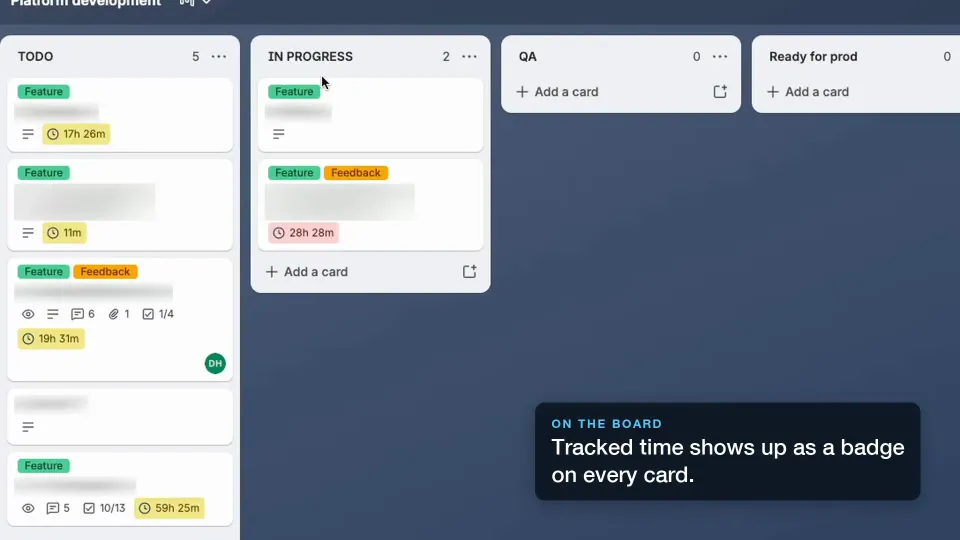
See timers, estimates and reports in the demo. Read the setup guide
From Trello card to billable hours.
For freelancers and teams who manage client work in Trello. Keep the task, the estimate and the time together, so invoicing starts with a record of the work.
- 01
Track time on a card
Start a timer where the work happens. Add a manual entry if you forgot to track, or start timers when cards move into a list.
- 02
Keep estimates in view
Set an estimate for a card or each teammate. Compare it with tracked time and enable alerts as you approach the limit.
- 03
Take the hours to invoicing
Mark billable time, assign it to a client, and export a filtered CSV report to use in your invoicing workflow.
New to Trello Power-Ups? Follow the setup guide.
See your time, estimates and reports in Trello
Keep tracking close to the work, from the first timer to your next client report.
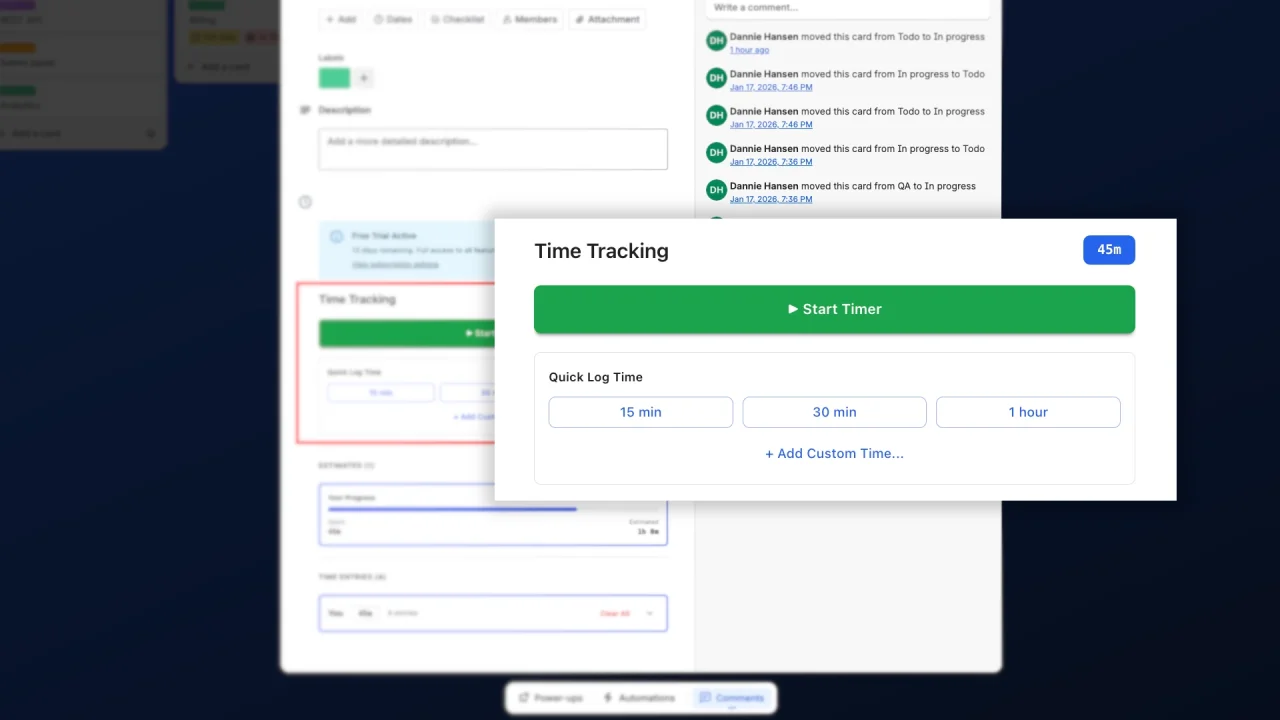
Start tracking with one click
The timer sits on the card your team already opens. One click to start, one to stop, and only one timer running per person at a time.
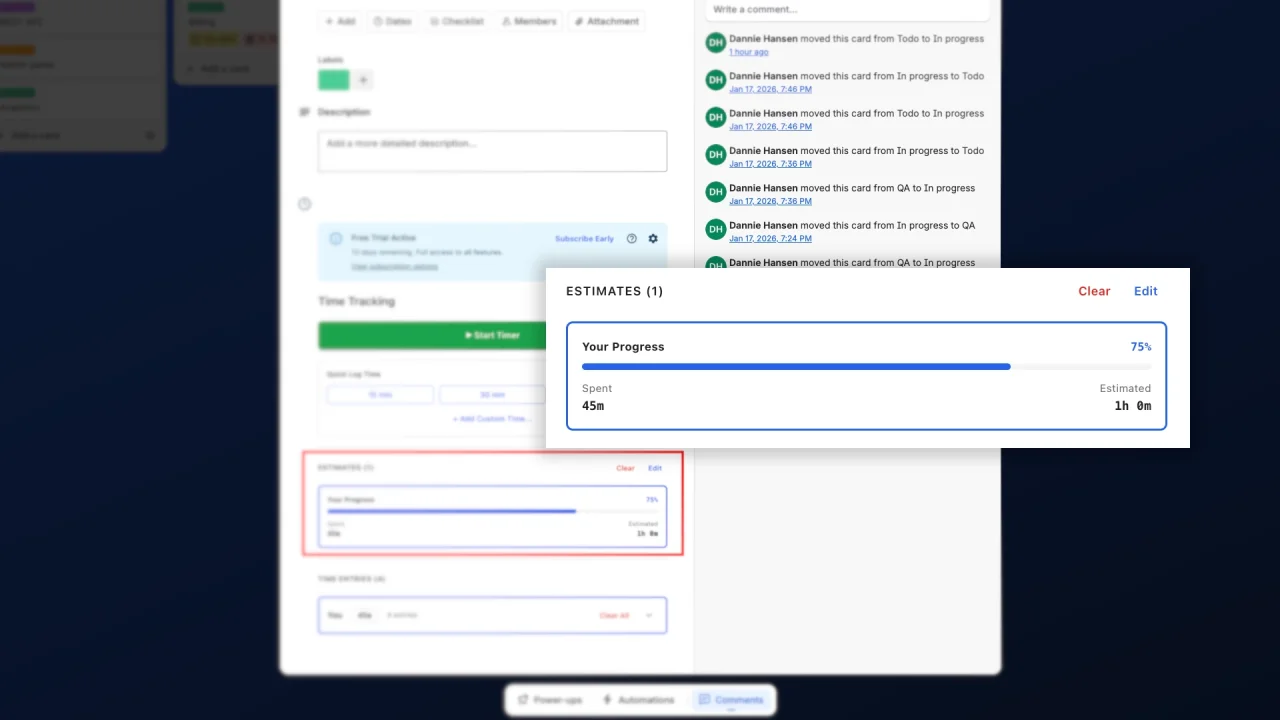
Know when a card is going over
Compare tracked hours with a card or member estimate. Enable alerts at 80%, 90%, 100% and 120% to spot work that needs attention.
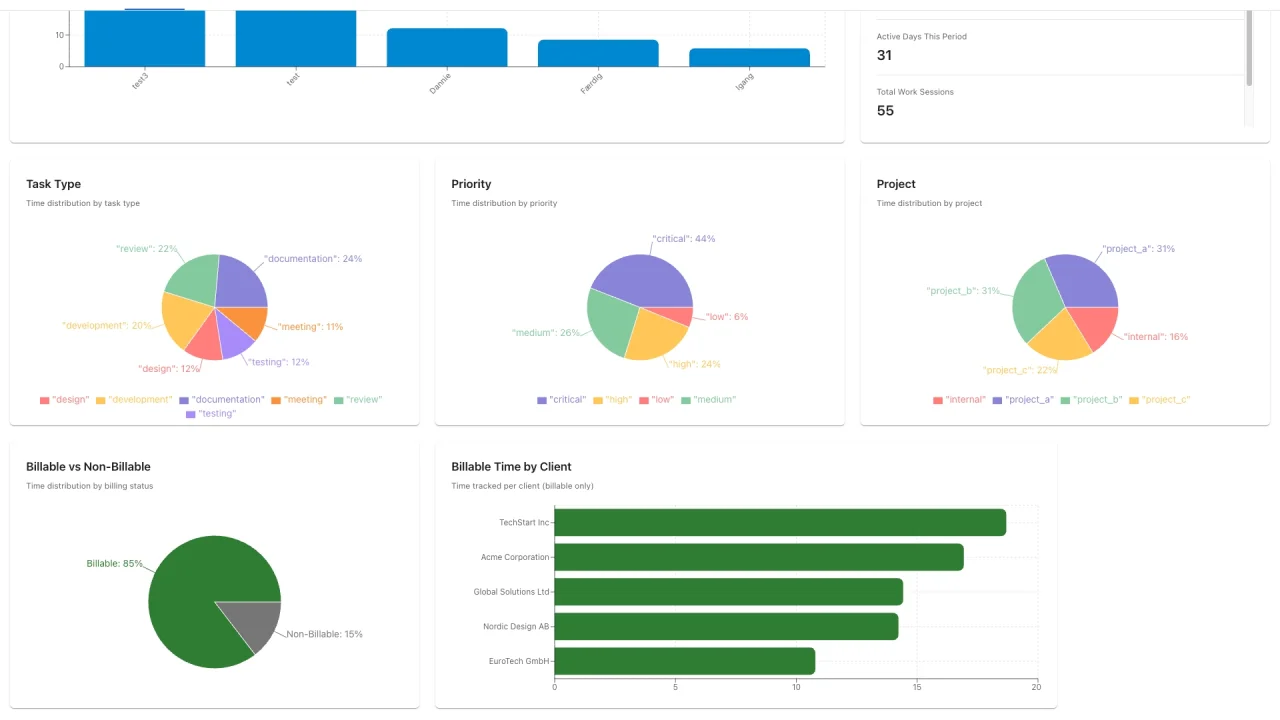
See where the week actually went
Filter time by member, board, client or date range. Review billable hours, switch between calendar and graph views, and export a CSV for invoicing.
Every feature. On either plan.
Timers, manual entries, estimates and reporting are all included in your trial, monthly plan and annual plan.
Card timers
Start and stop a timer on a Trello card. One active timer per person keeps time entries from overlapping.
Estimates
Set estimates for a card or each teammate. Compare tracked time with the plan and enable threshold alerts.
Billable hours
Separate client work from internal time, assign clients and hourly rates, and report on billable hours.
CSV reports
Filter by member, client, board or date range. Choose your columns and export the time you need for invoicing.
Live updates
Keep timers and totals in sync across your team’s open boards and cards.
Visual reports
Review tracked time in calendar and graph views to understand how the team spends its time.
Auto-start
Configure timers to start or stop when cards move between lists in your workflow.
Manual time entries
Forgot to start the timer? Add a time entry afterwards and keep your reports up to date.
Questions before you start?
Trial, billing and setup, explained.
How does billing work?
One price per Trello workspace, with unlimited users and boards on it. $10 per month, or $96 per year which works out to $8 per month. Payments are handled by Stripe.
Is there a free trial?
Yes. 14 days with every feature unlocked, and no credit card needed to start.
Do I pay per user?
No. The price covers the whole workspace no matter how many people or boards are on it, so adding a teammate never changes your bill.
What happens when the trial ends?
Tracking stops but nothing is deleted, and your reports stay readable so you can still export everything you logged. Tracking resumes the moment you subscribe.
Who can set Limita up?
Anyone on the board can track time. Connecting Limita to Trello has to be done once by a board admin, and that is what switches on auto-start timers, checklist sync and estimate alerts. Limita will show you who can do it.
Does my board need to be in a Trello Workspace?
Yes. Limita reports and bills per Workspace, so a personal board outside a Workspace cannot be tracked. Move it in via the board menu, under Settings, then Change Workspace.
Can I get my data out?
Any time. Export to CSV with the members, clients, boards, date ranges and columns you choose. The data is yours and there is no lock-in.
Is my data secure?
Workspace data is kept separate, and connections are encrypted. We use service providers to run Limita. Our Privacy Policy and Sub-processors page explain how data is handled.
Make your next Trello card count.
Try timers, estimates and billable reports with your own team. Every feature is included for 14 days.
No credit card required. $10/workspace/month or $96/year after your trial.
Moving from Activity Timer? Bring your time and estimates with you.